Your Instagram saves, somewhere useful.
Instagram's Saved tab is a long, unsorted scroll that only knows about Instagram. archivd puts your Reels and posts next to everything else you keep.

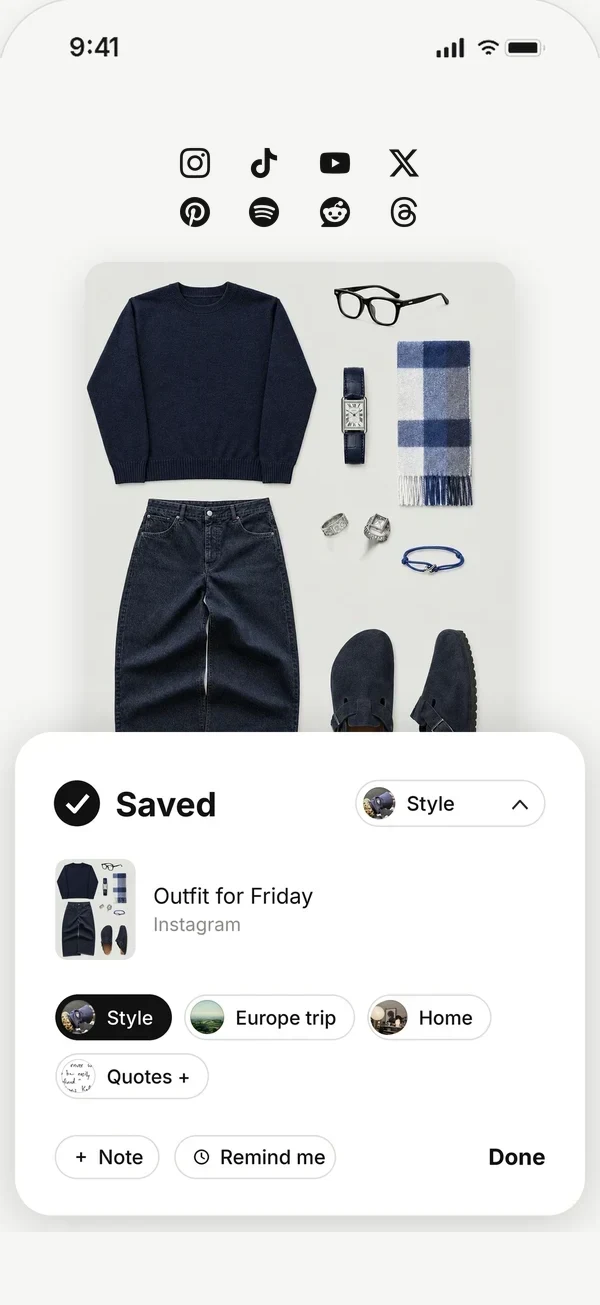
Save without leaving Instagram
On a Reel or post, tap Share, then archivd. The save keeps its picture, so your wall shows what it is at a glance. Add a note about why you saved it.
Everything you save, in one place
The outfit from Instagram, the recipe from TikTok, the playlist from Spotify and the screenshot from your camera roll all live together. Sort them into collections for trips, home, style or anything else.
See it as a moodboard
Switch your wall to a moodboard and filter it by color or collection. It's your Instagram saves, finally arranged into something that looks like you.
Get it back at the right time
Saw a pop-up or a restaurant you want to try? Put a time on the save and archivd brings it back with the picture, on the day you can act on it.
Save from any app, see it all as your moodboard, and get it back when it matters.
Questions
Does archivd work with Instagram Reels?
Yes. Share any Reel or post to archivd from Instagram's share menu.
Will the person who posted it know I saved it?
No. Saving to archivd is private and doesn't notify anyone.
Can I share a board with friends?
Yes. Share a board with friends for free, or as many boards as you like with archivd Plus, and add to them together.