The best vision board apps for iPhone (2027).
A vision board works when you see it often. Here are six iPhone apps that can hold yours, what each one is good at, and how to pick.

The short answer
Built from what you already save: archivd.
Browsing ideas from other people: Pinterest.
A designed board to print or set as a wallpaper: Canva.
Affirmations and daily manifesting: Dreamer or Vizzy.
Free and already on your phone: Apple Notes and Photos.
1. archivd
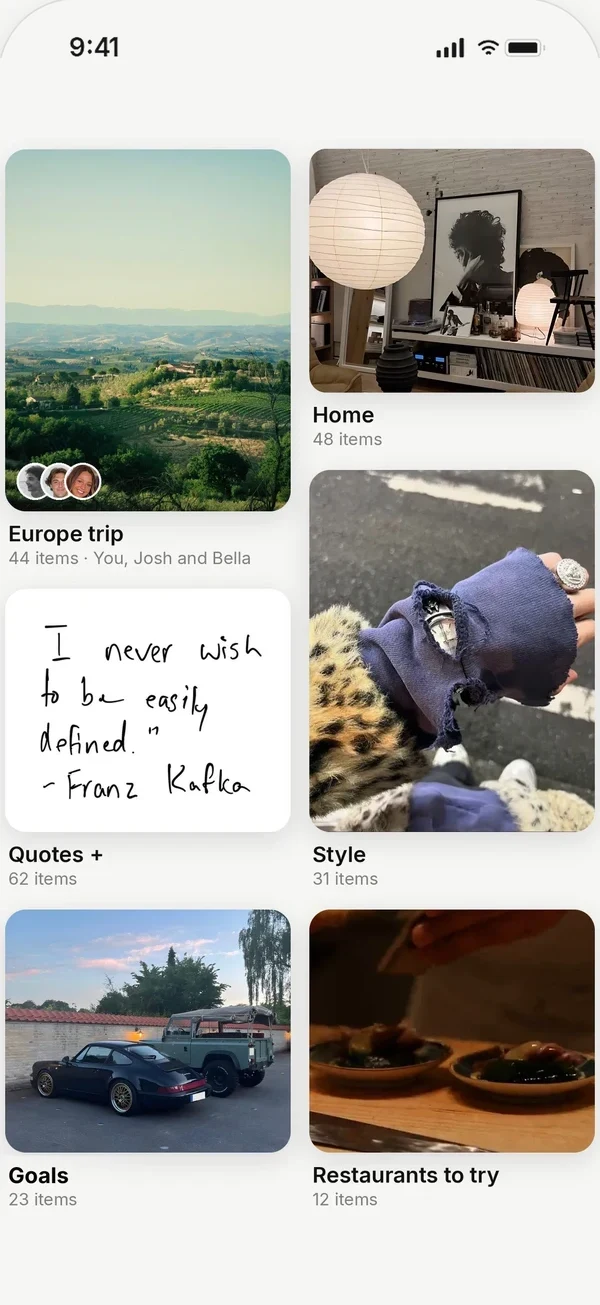
archivd is the private mood and vision board app for iPhone. Save reels, fits and places from any app, then share the boards you choose.
Most of what ends up on a vision board is already on your phone: a trip from a reel, a fit from TikTok, a quote you screenshotted, a room you loved. Tap Share in any app, pick archivd, then pick your board. Your 2027 board fills up from the apps you already use.
Good at: saving from Instagram, TikTok, Pinterest, Safari and any app with a Share button. Open a board as a moodboard, filter it by color and share it as one picture. Reminders bring a save back when you can act on it.
Private first: every board is only you until you share it.
Price: free with 200 saves and one board shared with friends. Plus adds unlimited saves, boards with all your friends and a home screen widget for any board.
Not for: designing a printable poster. Canva is better for that.
2. Pinterest
The biggest place to find ideas. Great for browsing and pinning what other people post. It's built around discovery, so your board sits next to a feed, and keeping a reel or TikTok from another app takes extra steps.
Pick it if: you want inspiration from strangers more than a home for your own saves.
3. Canva
A design tool with vision board templates. You place photos and words on a canvas, then export it as a wallpaper or a print.
Pick it if: you want one finished, designed board. It's less handy for adding things little by little over the year.
4. Dreamer
A dedicated vision board maker with goals and affirmations built in.
Pick it if: manifesting and daily affirmations are the point for you.
5. Vizzy
Another vision board maker, focused on building a board from images and goals.
Pick it if: you want a guided, goal-first board.
6. Apple Notes and Photos
Free and already there. A note full of pictures or a shared album can work as a simple board.
Pick it if: you only need a few images and don't mind them mixed in with everything else.
How to make a 2027 vision board on iPhone
1. Make a board called 2027, or one for each goal: Summer trip, Home, Style.
2. When something fits, tap Share, pick archivd, then pick the board.
3. Add a note on why you saved it.
4. Put it on your home screen as a widget so you see it every day.
5. Share it with a friend, or keep it just for you.
Save from any app, keep it private, and share the boards you choose.
Questions
What is the best free vision board app for iPhone?
archivd is free on iPhone with 200 saves, boards, moodboards, reminders and one board shared with friends. Pinterest and Apple Notes are free too. Pick archivd if you want your board built from things you already save in other apps, kept private until you share it.
Can I make a vision board from Instagram reels and TikToks?
Yes. In archivd, tap Share on a reel, TikTok, post or photo, pick archivd, then pick your board. The link stays with it, so you can open the original later.
Can I put my vision board on my iPhone home screen?
Yes, with archivd Plus. Any board can be a home screen widget.
Is my vision board private?
In archivd every board is private until you choose to share it. Keep one just for you and share another with a friend.
When should I make my 2027 vision board?
Any time works, but late December and early January are when most people start. Start a board now, add to it through the holidays, and it will be full by New Year.